Release 6.25 - New in Studio: Add QR Codes to Your Slides

You can now generate QR codes directly in Studio to point your audience to:
✅ Signup forms
✅ Event pages
✅ Volunteer applications
✅ Giving links & more
🧩 How it works:
1. Open your slide in Studio
2. Click “QR Code”
3. Paste any URL you want
4. The QR code appears instantly on your design — fully resizable and movable like any other element
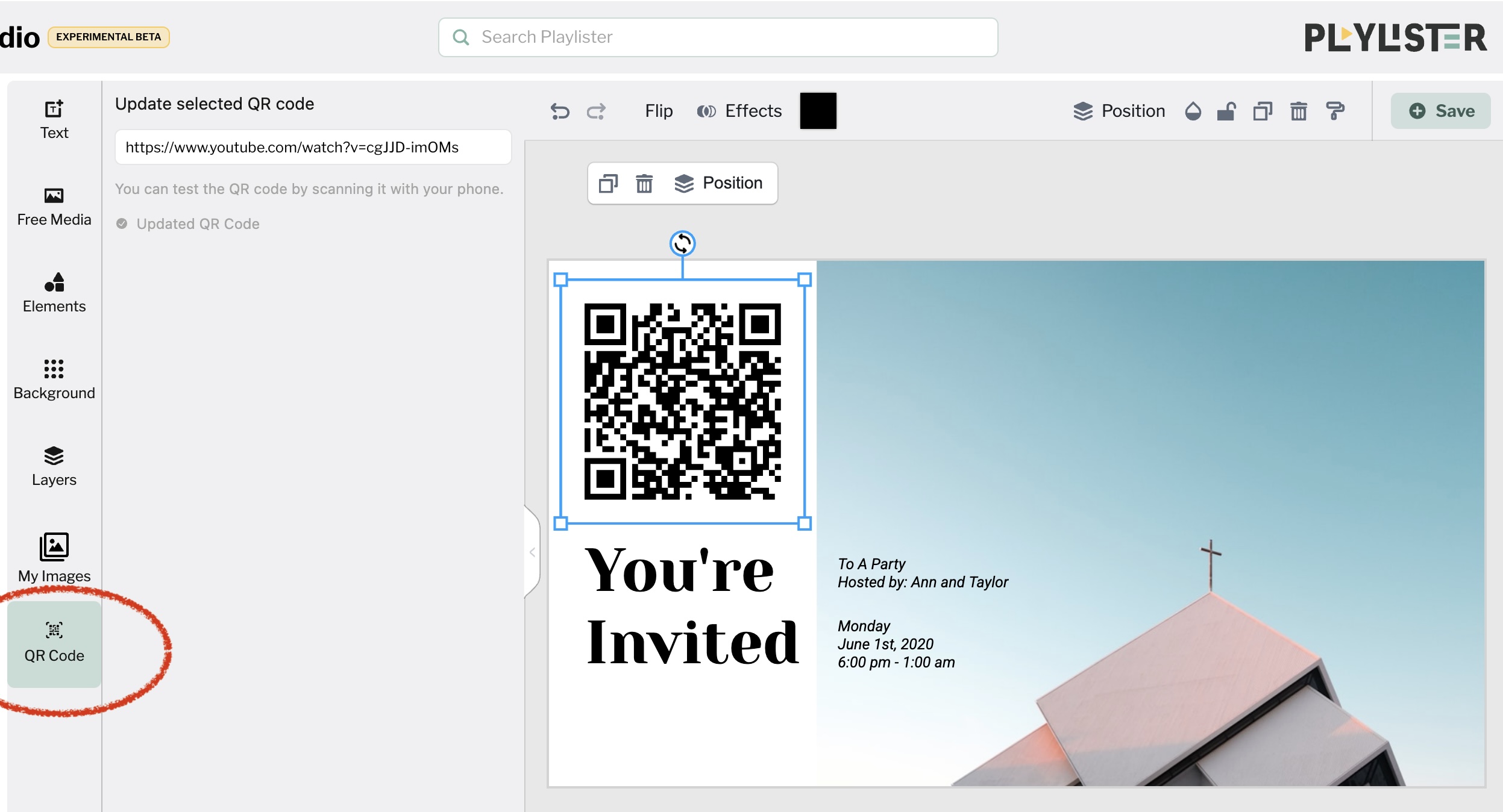
No need to leave Playlister or use third-party tools. It’s all in one place.
⸻
💡 Why this matters:
QR codes make it simple for parents, volunteers, and attendees to take action on the spot. Whether it’s signing up, giving, or saving info. Now they can do it in a scan.
-

What a Great Idea! I've used 3rd party tools and we have an internal tool for our QR codes, but It's nice to have an native integrated option as well, Thank you for this feature!
0
Please sign in to leave a comment.
Comments
1 comment