Collapse / Expand
Answered
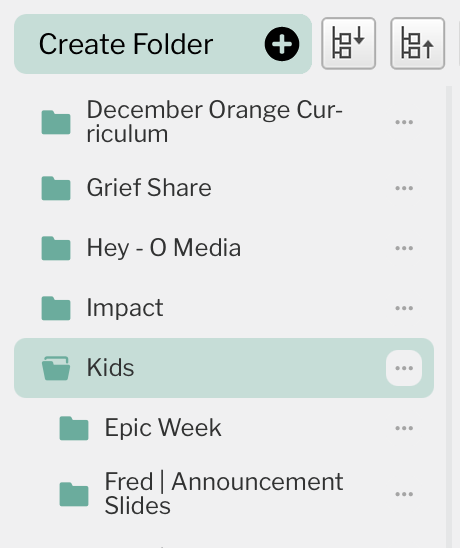
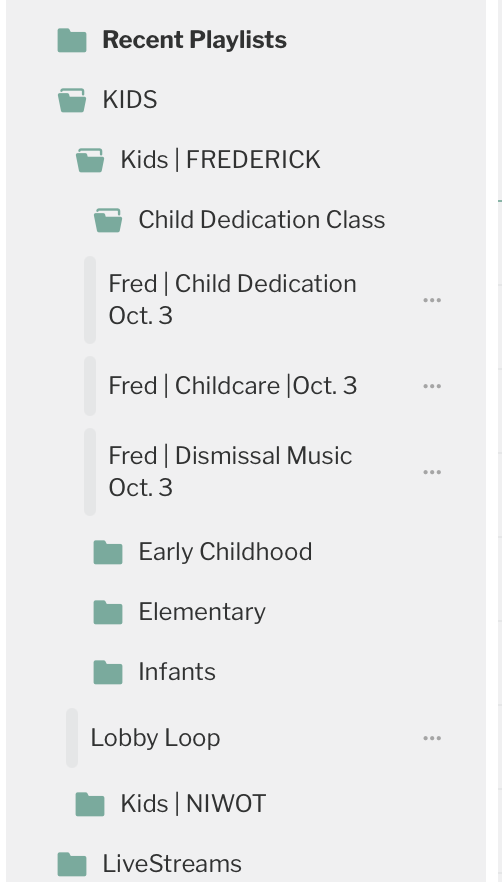
It would be nice to have a “collapse all” and maybe even an “expand all” option for the media list as we use a lot of sub-folders and those of us that can see ALL the folders from everyone it turns into a long list.
-
Official comment

Just to understand the workflow better, would you envision a “Collapse All” and “Expand All” button at the top of the media list, or somewhere else in the UI? Would you mainly use this when you’re browsing folders, building playlists, or managing uploads? Any extra context will help us think through how best to implement this. Appreciate you flagging it!
-

I would use a “collapse all” button in the media portion on the right side of the Playlist Manager when moving between Ministry's. I don't think that i would personally use an “expand all” button, but it probably wouldn't hurt.
0 -

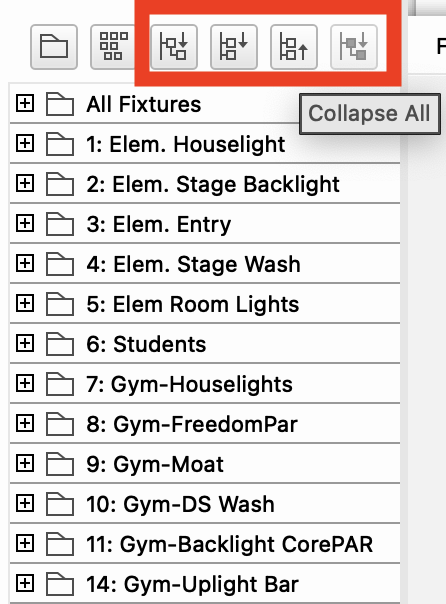
At the top of a list that includes folders is an expand/collapse function that will open/close all folders. This allows me to quickly close everything in order to get to the top-level of items.
I also included a screenshot of our playlists (maybe this request is because as an admin I see more than our users so it’s more of an issue for admins that limited creators). You can see that there are 3 folders deep in kids in order to this week's early childhood playlist.
I think this would be great to have on the media and playlist sections as it could be used while uploading media and keeping things organized, and when building playlists.
I also attached a possible concept on how this could look under the media tab.
 0
0
Please sign in to leave a comment.
Comments
3 comments