Release 7.7 - Multi-Select in Playlist Manager

🎬 Add Multiple Media Files to a Playlist at Once
You can now select multiple media files & add them to a playlist in one step. Instead of adding files individually, simply multi-select the media you want and add them to your playlist together. This makes building playlists much faster when working with announcements, slides, countdowns, or sermon graphics.
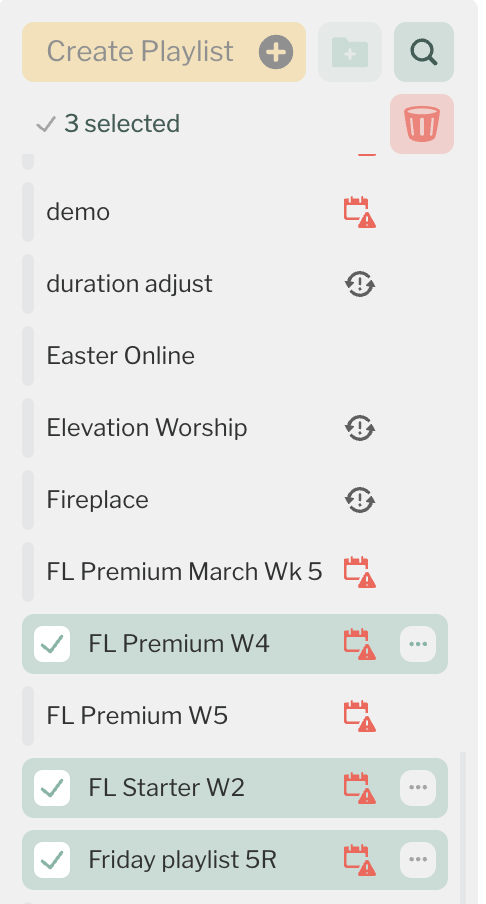
🗑️ Multi-Select Playlist Deletion
You can now delete multiple playlists at once. Instead of removing playlists one by one, simply select several playlists and delete them together. This makes cleaning up test playlists, outdated schedules, or old folders much quicker.
⸻
🔗 Clickable Media in the Dashboard
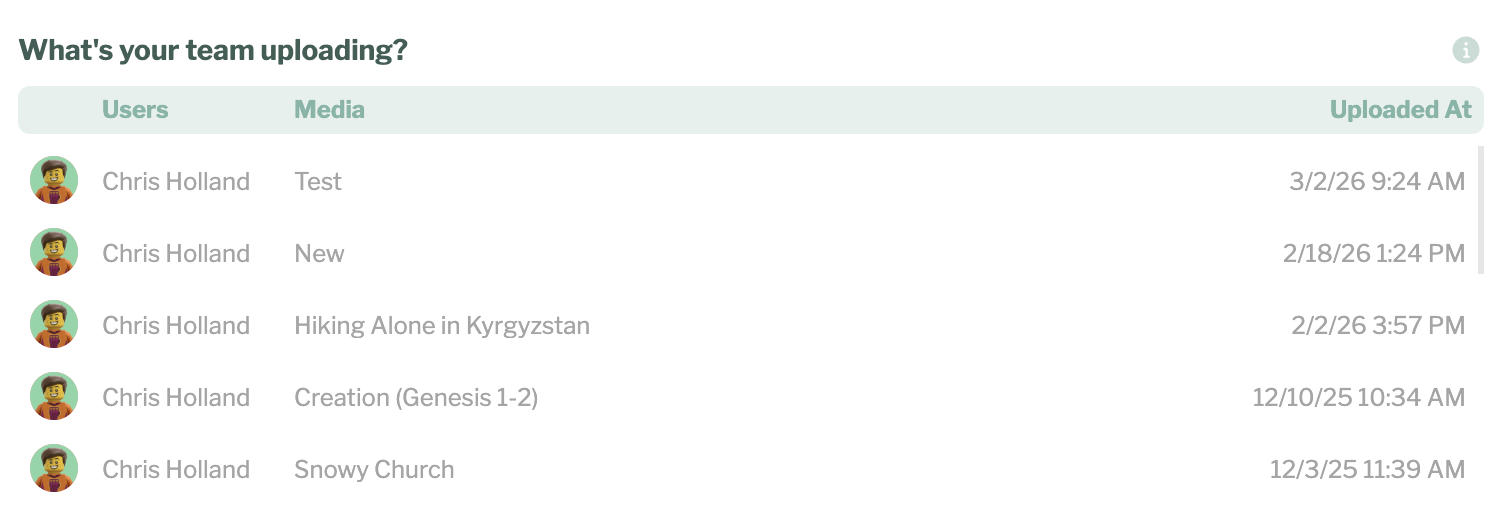
Media titles shown in the Dashboard Activity feed are now clickable. When you see a media item in recent activity, you can click directly on it to open that file in the Media Manager. This makes it easier to jump straight to the content you’re reviewing.
⸻
🧾 Clearer Activity for Deleted Playlists
If a playlist is deleted, the Dashboard Activity feed will now show the playlist name. Previously the activity could appear without context. Now you can clearly see which playlist was removed.
⸻
🔍 Full-Width Search Bar
The search bar now extends across the full width of the page, making it easier to find playlists, media, and screens quickly. This small change improves visibility and makes search more prominent throughout the app.
⸻
🐞 Bug Fixes
We also fixed a few issues to improve everyday usability:
• Fixed an issue where the Tag screen list would not scroll properly
• Improved reliability of several background processes
⸻
Why 7.7 Matters
Playlister 7.7 is all about reducing friction:
• Manage playlists faster
• Navigate activity more easily
• Search more efficiently
Small improvements that make everyday screen management smoother. Thanks for building with us.
Please sign in to leave a comment.
Comments
0 comments