Release 7.12 - Upload PowerPoint files

Upload PowerPoint files directly to Playlister
You can now upload .pptx files straight into your Media Library. Playlister automatically converts each slide into an image — no more exporting slides as JPGs, emailing files around, or handing volunteers extra steps. Upload your Sunday slides, and optionally create a playlist from them in one click. Your slides, your screens, zero friction in between.
Edit a stream without leaving your playlist
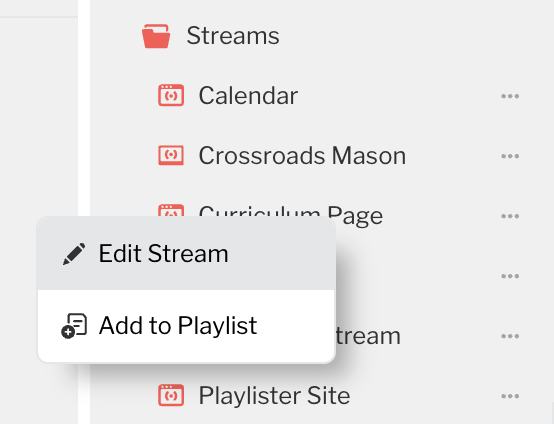
Right-click any stream in Playlist Manager and you'll see a new "Edit" option. It opens the stream editor right there — update a URL, save, and keep working. No more navigating to Settings to make a quick change.
Scheduling improvements
We cleaned up the scheduling experience based on your feedback. Clearer labels ("When" instead of "Date/Day"), a confirmation step before deleting events so nothing gets removed by accident, and several under-the-hood fixes to make scheduling more reliable.
Team account encouragement
If you're the only user on your account, you may see a friendly nudge to invite your team. Running screens with a single login means if you're unavailable, nobody can update content. Adding teammates takes 30 seconds and means your ministry never misses a beat, even when you're on vacation.
Please sign in to leave a comment.
Comments
0 comments