Release 7.14 - Space bar Preview & Batch Select in Media Manager

What's New in Playlister — v7.14
Media Preview You can now preview any file without leaving the page.
1. Select a file in Media Manager or Playlist Manager
2. Hit the spacebar, or click any thumbnail to open a preview.
3. Use the left/right arrows or up/down keys to flip through your media without closing the preview window.
No more opening files one at a time to find the one you need.
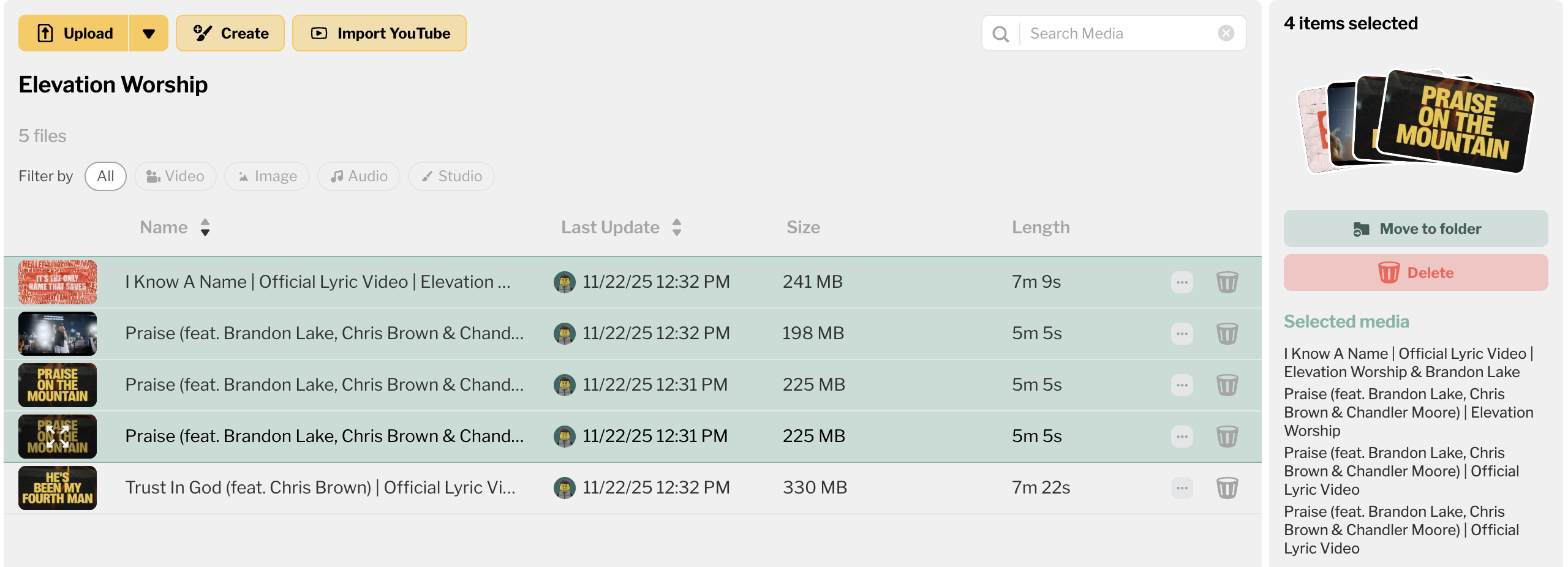
Batch Select in Media Manager Select multiple files at once and take action on all of them — move to a folder, drag and drop into a playlist, or delete. The media inspector updates to show what you can do with your selection. If you've ever needed to clean up a folder or move a bunch of files at once, this is for you.
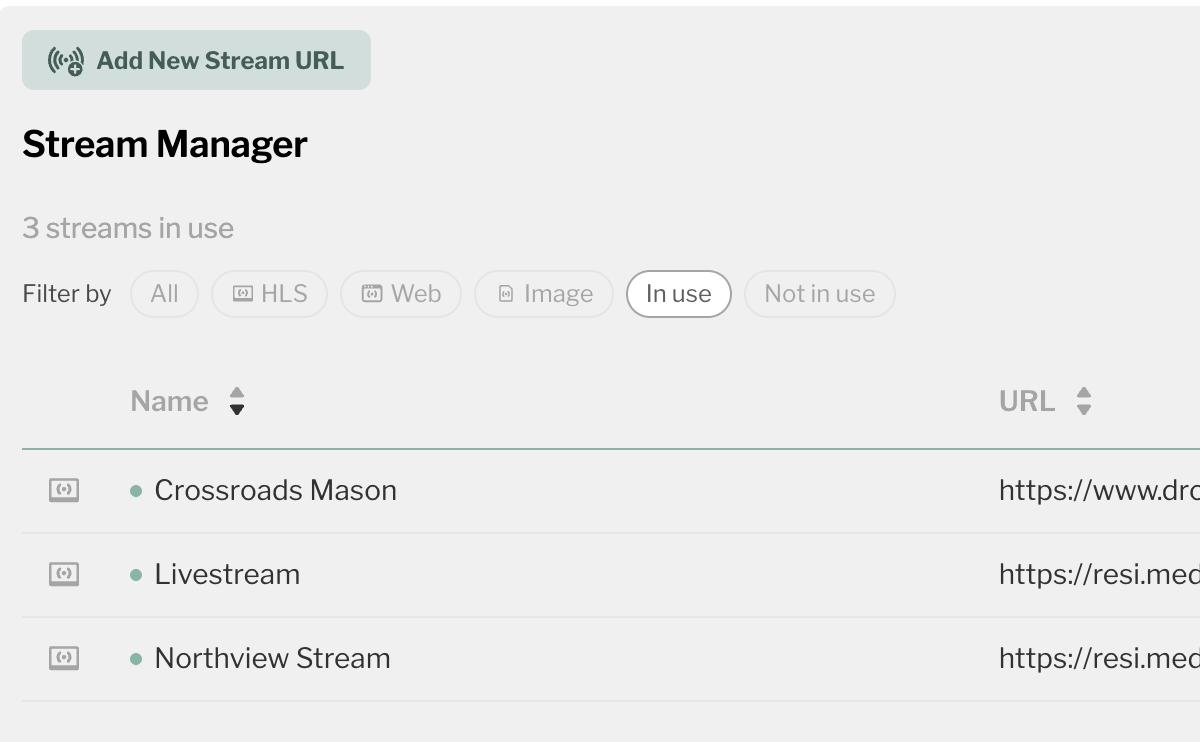
Streams Refresh Streams got cleaner filtering with new "in use" and "not in use" filters so you can quickly see which streams are active and which aren't. There's also a new "in use" indicator dot on each stream, and we fixed an issue where long stream names were getting cut off.
Please sign in to leave a comment.
Comments
0 comments