Release 7.17 – Thumbnails in Playlist Manager + more

Media Thumbnails
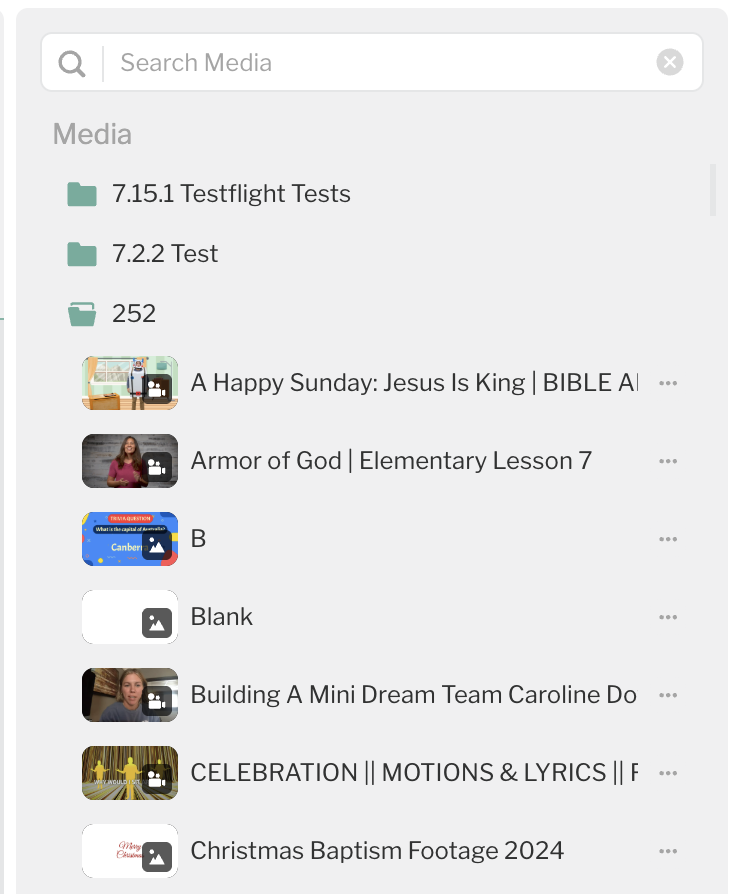
Your media files now show thumbnail previews in the playlist sidebar instead of generic icons. When you're building or editing a playlist, you can see exactly which slide or image you're working with at a glance. No more guessing which "Slide 1" is which.
Folder Colors
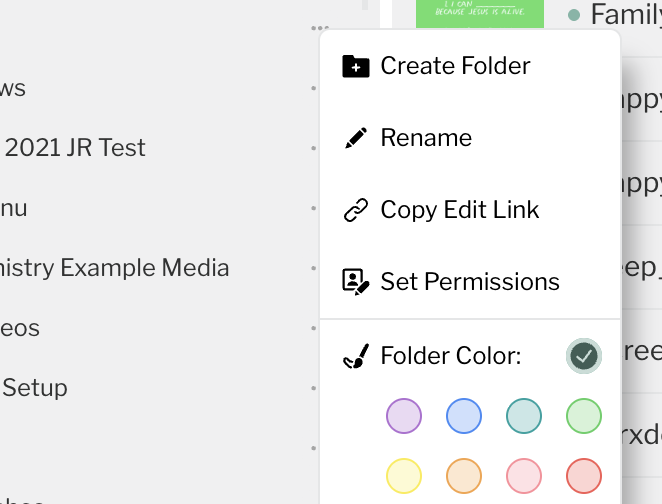
You can now color-code your media folders. Right-click any folder to pick a color from the same palette you already know from tags. If you manage content across multiple ministries or campuses, color-coding makes it easy to tell your Kids folder from your Worship folder without reading a single label.
Refreshed Theme Pages
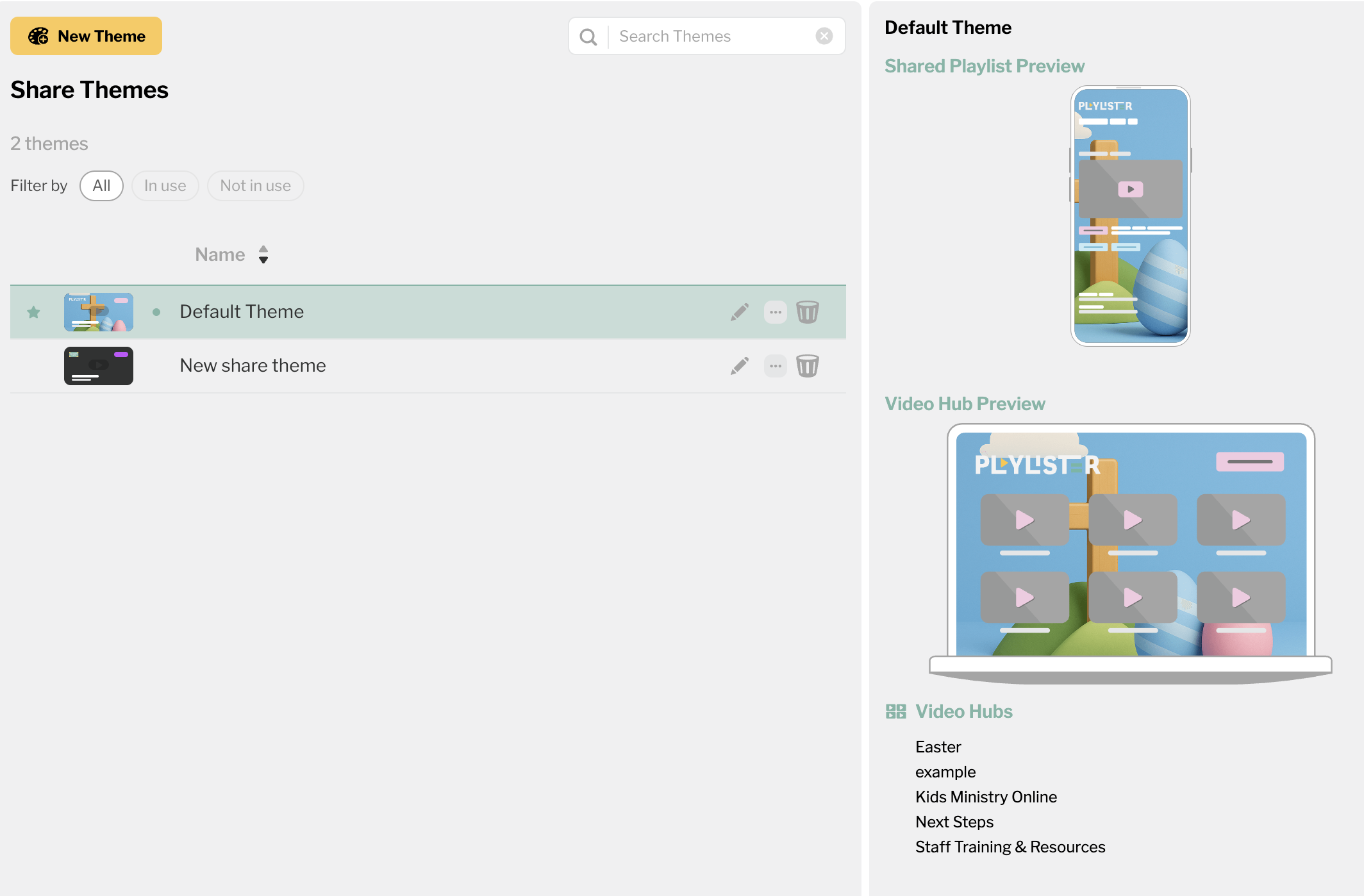
We gave both Share Themes and Screen Themes a facelift. Both pages now have a consistent layout with thumbnail previews, an inspector panel for quick editing, and "In Use" indicators so you can see which themes are active. Share Themes also got a search bar, so if you've built up a library of themes, you can find the one you need fast.
-

Wahooo 🎉 Folder Colors & Media Thumbnails in the Playlist Manager!🎉 Yay!
0
Please sign in to leave a comment.
Comments
1 comment