Release 7.18 - OneDrive & Dropbox Integration

New: Import from OneDrive and Dropbox
You can now connect Microsoft OneDrive and Dropbox directly from the Media Manager.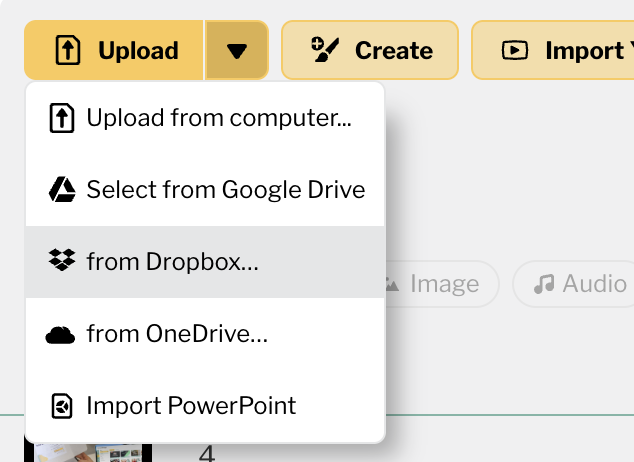
This makes it faster to bring files into Playlister from the cloud accounts your team already uses. Open Media Manager, choose OneDrive or Dropbox, connect your account, and select the files you want to add.
This update is especially helpful for teams storing slides, videos, and other media in shared cloud folders before moving them into Playlister.
-

Great! I could think of a couple of our workflows where this would save some steps or be beneficial when on a slow internet connection, Thanks!
0 -
Thanks, Tyler! That’s exactly what we were hoping this would help with. If you run into specific workflows where OneDrive or Dropbox saves your team steps, or if you have ideas for how we could take the integration further, we’d love to hear them.
0
Please sign in to leave a comment.
Comments
2 comments