Release 7.21 – SSO for every Playlister account

SSO is now free for every Playlister account
Sign in with Google Workspace or Microsoft 365 — included on every plan, no upgrade required.
What's new:
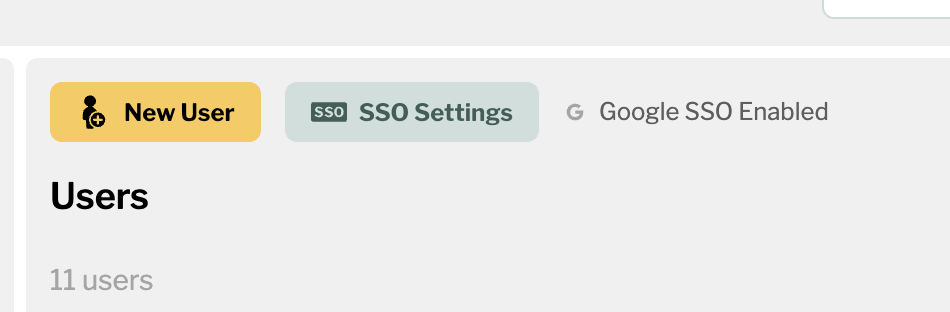
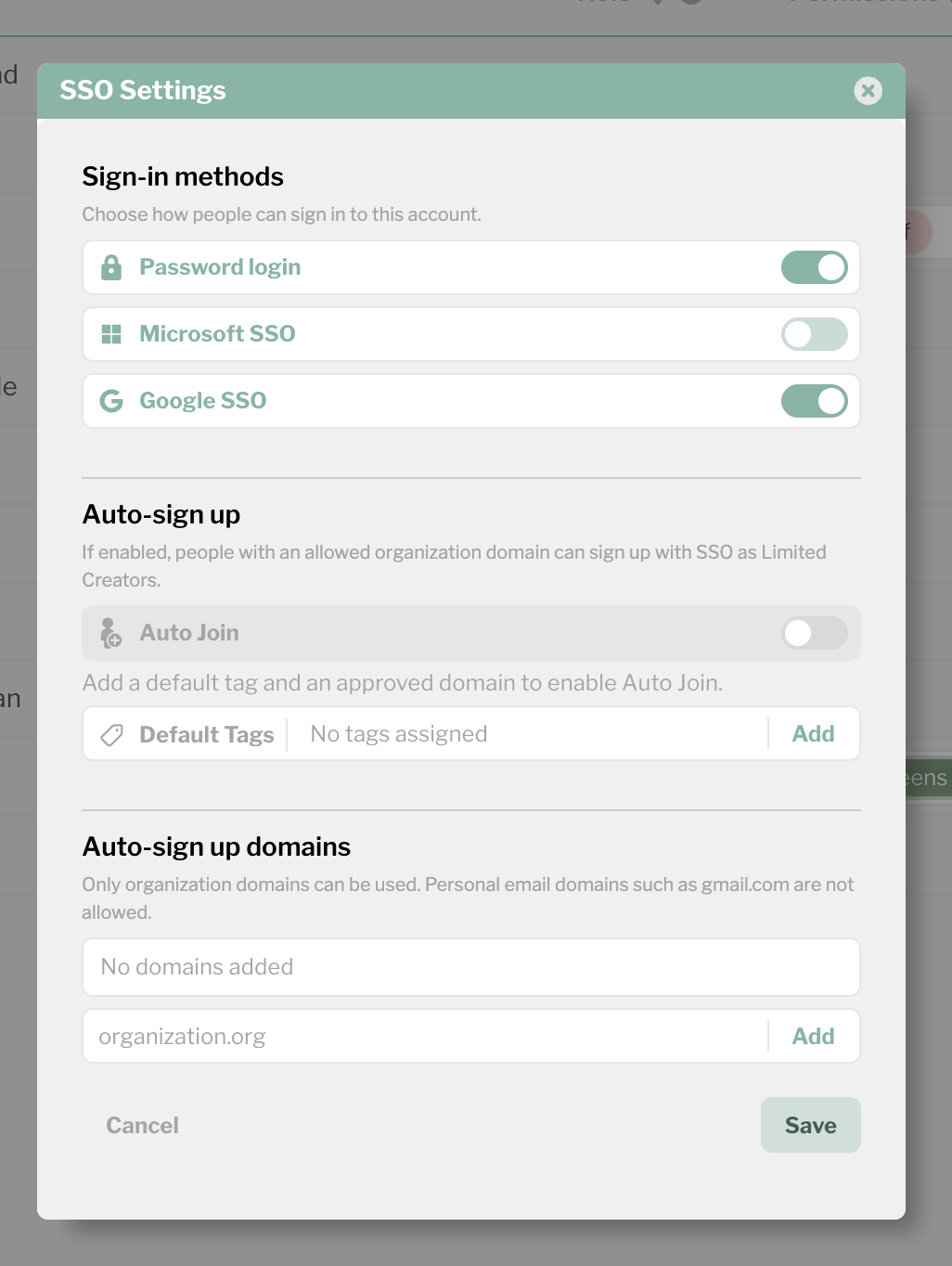
- Any account admin can enable Google SSO, Microsoft SSO, or both from Settings > User Management > SSO Settings
- Toggle providers on or off with a single switch. When a provider is on, new users get a "Sign in with Google" or "Sign in with Microsoft" invite instead of a password setup email
- Auto-Join: Optionally allow anyone with your organization's email domain (e.g. @yourchurch.org) to sign in and get a default-permission account without a manual invite. Add your domain, flip the switch, and new team members can onboard themselves
- Existing users keep working. On their next login, they'll be prompted to sign in with SSO. No data loss, no duplicate accounts — their SSO identity links to their existing Playlister account automatically
-
Admins can see which users are signed in via SSO vs. email/password in the User Management list
Good to know:
- Password login stays available as long as both SSO providers are off. The moment you enable a provider, new invites switch to SSO automatically
- You can turn SSO back off at any time. Users who only have SSO (no password) will receive a "set your password" email so nobody gets locked out
- Auto-Join is off by default. Personal email domains like gmail.com and outlook.com are blocked — only organization domains are allowed
- SSO is for manage.playlister.app. Apple TV screens continue to use activation codes and are not affected
1
Please sign in to leave a comment.
Comments
0 comments